About Play for Kodi
Play for Kodi is a modern, lightweight utility designed to bridge the gap between your mobile device and your Kodi™ media center. Effortlessly send and queue video links directly to your big screen with a single tap. Key...
Play for Kodi is a modern, lightweight utility designed to bridge the gap between your mobile device and your Kodi™ media center. Effortlessly send and queue video links directly to your big screen with a single tap.
Key Features
Seamless Sharing: Use the standard Android "Share" menu to send video links from web browsers and media platforms directly to your media center.
Multi-Host Support: Easily manage and switch between multiple Kodi installations across your home network.
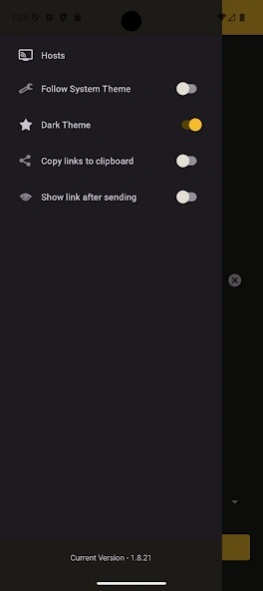
Modern Design: A clean, Material 3 interface with full support for Light, Dark, and System dynamic themes.
Fast & Lightweight: Built for performance, focusing strictly on fast link sharing without unnecessary background bloat.
Custom Host Icons: Assign distinct icons for each setup for effortless host identification.
Setup Instructions
To use this app, you must enable Kodi's built-in webserver (disabled by default):
Navigate to Settings → Services → Control on your Kodi device.
Enable "Allow remote control via HTTP".
(Recommended) Set a custom Port, Username, and Password for secure local access.
For detailed setup documentation, visit: https://kodi.wiki/view/Web_interface
Important Notes
This app is designed to share and queue video links. It is not intended as a full-featured remote control replacement.
This project was developed primarily as an independent companion utility.
Disclaimer
Kodi™ and XBMC™ are registered trademarks of the XBMC Foundation ([suspicious link removed]). This application is an independent third-party tool and is not affiliated with, maintained, sponsored, or endorsed by the XBMC Foundation.
Previous Versions
Here you can find the changelog of Play for Kodi since it was posted on our website on 2016-10-29 01:14:15.
The latest version is 1.8.26 and it was updated on 2026-10-12 17:58:40. See below the changes in each version.
Play for Kodi version 1.8.26
Updated At: 2026-07-22
Changes: • App Branding & Policy Compliance: Updated launcher icon and app name to comply with store policies.
• Improved Navigation: Refined sidebar menu layout and navigation drawer alignment.
• Smarter Host Management: Host URLs now automatically trim whitespace and strip http/https prefixes.
• Better Error Reporting: Displays specific JSON-RPC error responses when API calls fail.
• Stability & Performance: Optimized list view scrolling, modernized back navigation, and fixed null safety bugs.
Play for Kodi version 1.8.21
Updated At: 2026-02-17
Changes: What's New in v1.8.15:
Play Store Compliance: Updated intent handling and added full HTTPS support for improved security and deep-link reliability.
Improved Sharing: Refined the "Share to Play" dialog to be more compact and less disruptive.
Better Feedback: Switched to standard Android system toasts for instant, non-stacking success/error notifications.
Bug Fixes: Implemented global error handling and resolved various legacy migration issues.
Play for Kodi version 1.75
Updated At: 2022-09-08
Changes: Minor bugs fixed.
Play for Kodi version 1.72
Updated At: 2022-04-28
Changes: Share button support improvement.
Play for Kodi version 1.71
Updated At: 2022-02-23
Changes: -Multiple KODI instances support.
-Test function to support Samba protocol.
Play for Kodi version 1.67
Updated At: 2021-02-24
Changes: Preview link after sending.
Play for Kodi version 1.63
Updated At: 2020-07-20
Changes: Theme fixes.
Play for Kodi version 1.57
Updated At: 2020-06-04
Changes: POST method implemented.
Play for Kodi version 1.28
Updated At: 2016-10-16
Changes: Small bugs fixed.
Disclaimer
Official Google Play Link
We do not host Play for Kodi on our servers. We did not scan it for viruses, adware, spyware or other type of malware. This app is hosted by Google and passed their terms and conditions to be listed there. We recommend caution when installing it.
The Google Play link for Play for Kodi is provided to you by apps112.com without any warranties, representations or guarantees of any kind, so access it at your own risk.
If you have questions regarding this particular app contact the publisher directly. For questions about the functionalities of apps112.com contact us.